Native iOS app, AR
Signl
See the Wi-Fi in your home.
The question it started from
Why is the Wi-Fi bad in that one room — and could you look at the answer instead of guessing at it?
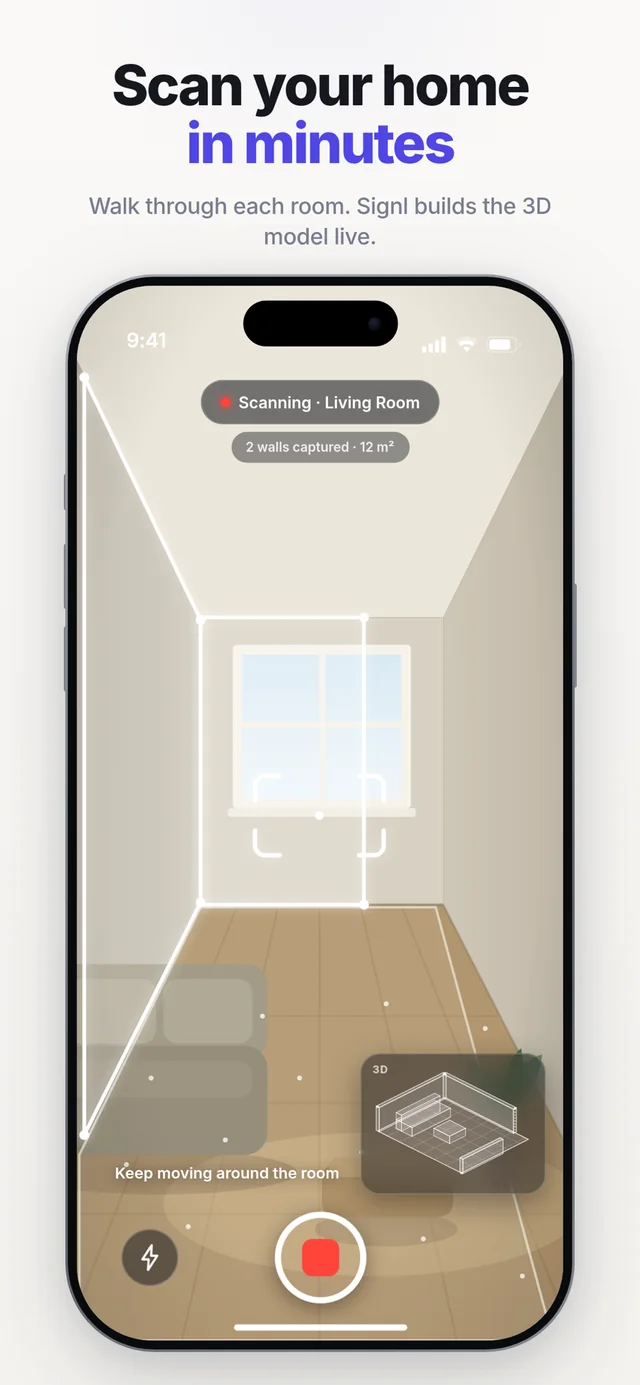
The App Store screenshots, in the order the app works. First, scanning a room: the 3D model builds itself while you walk through it. 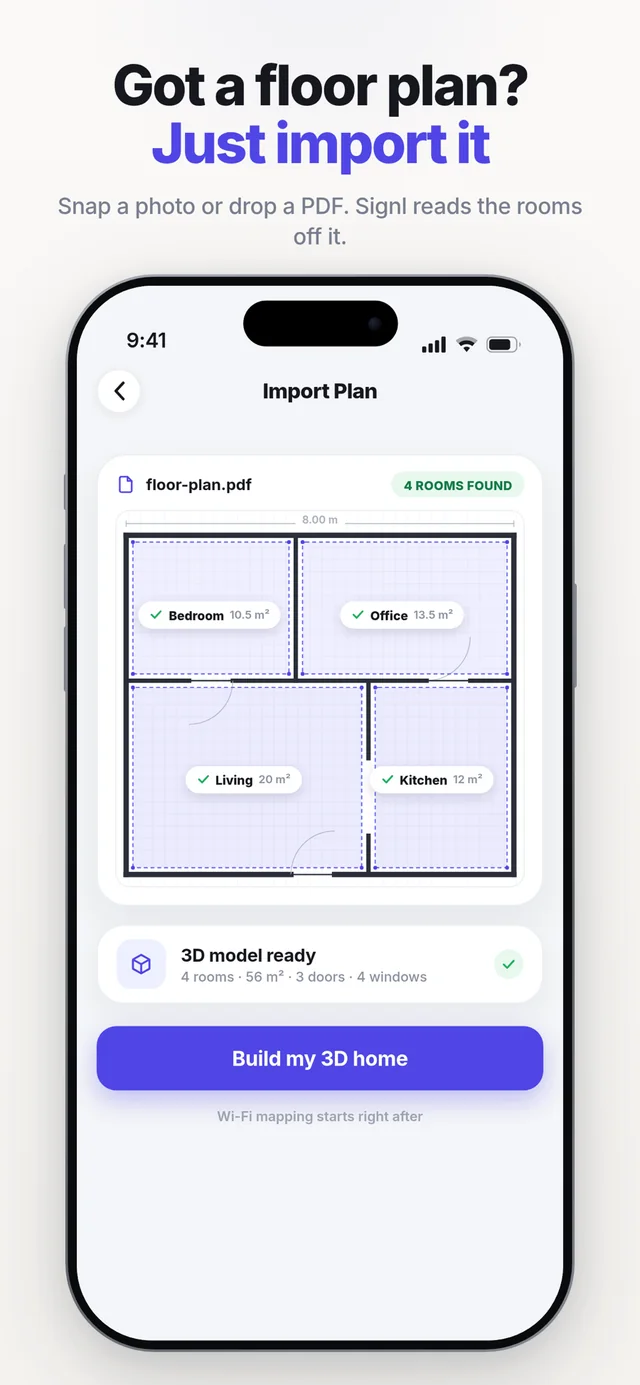
The second way in, for a phone without LiDAR — a photo or a PDF of the floor plan, with the rooms read off it. 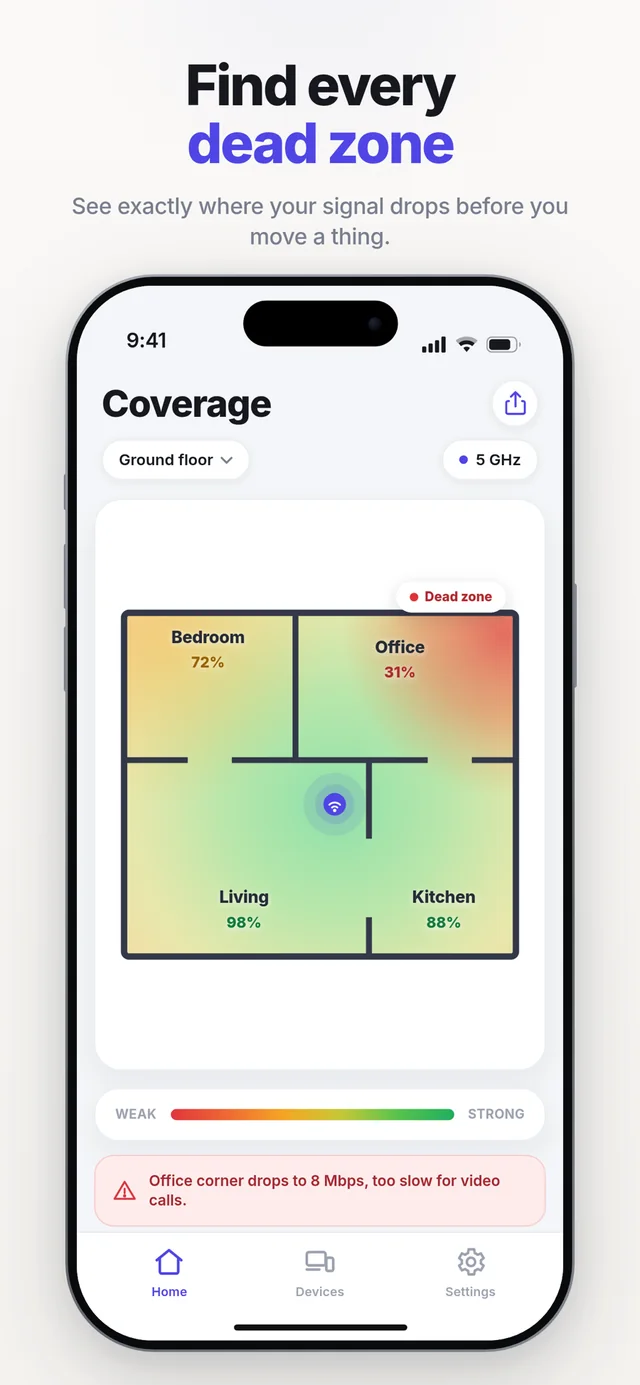
And the finished map: every room scored, the dead zone named rather than guessed at.
The problem
Wi-Fi is invisible. When a room is slow you move the router, hope, and repeat. Speed-test apps hand you a number with no place attached to it, which is the one thing you actually needed.
The information people want is spatial, so the answer has to be spatial too.
The idea
Measure connectivity where the person is standing, and paint it onto a 3D model of their actual home, so a weak spot becomes something you can see and point at.
Two ways in: scan the place with the camera, or import the floor plan you already have.
What I contributed
I built the native app: the AR capture that maps floor and rooms, the measurement pipeline, the interpolation that turns sparse walked samples into a readable surface, and the dollhouse view of the finished home.
I also made the calls about what the visualisation is allowed to imply — the app shows measured coverage, not a simulation dressed up as a measurement.
- 01
Scan or import
Map the home with the camera, or bring in an existing floor plan.
- 02
Walk & measure
Connectivity is sampled where you actually stand, tied to a position.
- 03
Interpolate
Sparse samples become a continuous surface over the floor.
- 04
Paint in 3D
Coverage is mapped onto the room geometry, not onto an abstract grid.
- 05
Decide
Read the weak spots and act on them — move the router, add a point.
What exists today
- AR room capture that builds a floor and the walls around it while you walk.
- Live coverage painting during capture: the surface fills in behind you as you move.
- A 3D dollhouse view of the scanned home with coverage mapped onto it.
- A manual brush to correct the captured surface where the scan got it wrong.
- A second path that imports a floor plan and traces rooms from it, for people who do not want to scan.
- And it shipped: Signl is on the App Store, free, with a Pro tier for the full heatmap and the router recommendation.
What is left to build
- Android. Signl is iPhone-only, and the site collects a waitlist for the rest.
What it taught me
Rendering taught me more than the maths did. An approach that was correct on paper — driving opacity from a texture — rendered as opaque black on a real device, and the honest fix was to make the default visualisation pure geometry instead of defending the clever version.
AR only tells the truth on a phone. The simulator will happily confirm a broken idea, so the feedback loop has to run on hardware from day one.
Two ways into the same product is a design problem, not a feature count. Both paths had to land in one unified home model or the app would have become two apps.
Next
Hackcepted